
New Webex User Management
Apr 2023
Team

Product Manager
Engineering Team
My Role

Product Strategy, User flows, Interaction Design
Time Line

5 months
Catalog
Pain Points
Business goal
Target audiences
Solutions & Proposals
Challenges
Outcome & Impact
Pain Points
01 High Complexity in Existing Workflows
Before the introduction of the new solution, SMB administrators had two options for managing users and licenses. They could either rely on IT teams to perform administrative tasks through Webex Control Hub or use Control Hub Light, a simplified SMB portal, to manage users and subscriptions themselves.
Neither option provided an optimal experience. Webex Control Hub was designed primarily for IT administrators, while Control Hub Light was not originally built to support calling services. As a result, routine administrative tasks were often complex, time consuming, and difficult to complete independently. Even simple actions frequently required external assistance, such as contacting Webex Support or following online tutorials, creating unnecessary friction and reducing administrator efficiency.
02 Retirement of the Old Calling Portal
With the retirement of the legacy calling portals, we needed to create the design which is able to migrate existing functions and settings into the new portal while ensuring its scalability and resilience to support future calling requirements.

Business goal
While our calling product is primarily enterprise-focused, we recognize the importance of SMB users. By continuously enhancing the SMB UX, we seek to boost user retention and lower customer service call costs.

Target audiences
Business administrators and decision makers who need to perform user and license management tasks but have little to no experience with IT systems.

Solutions & Proposals
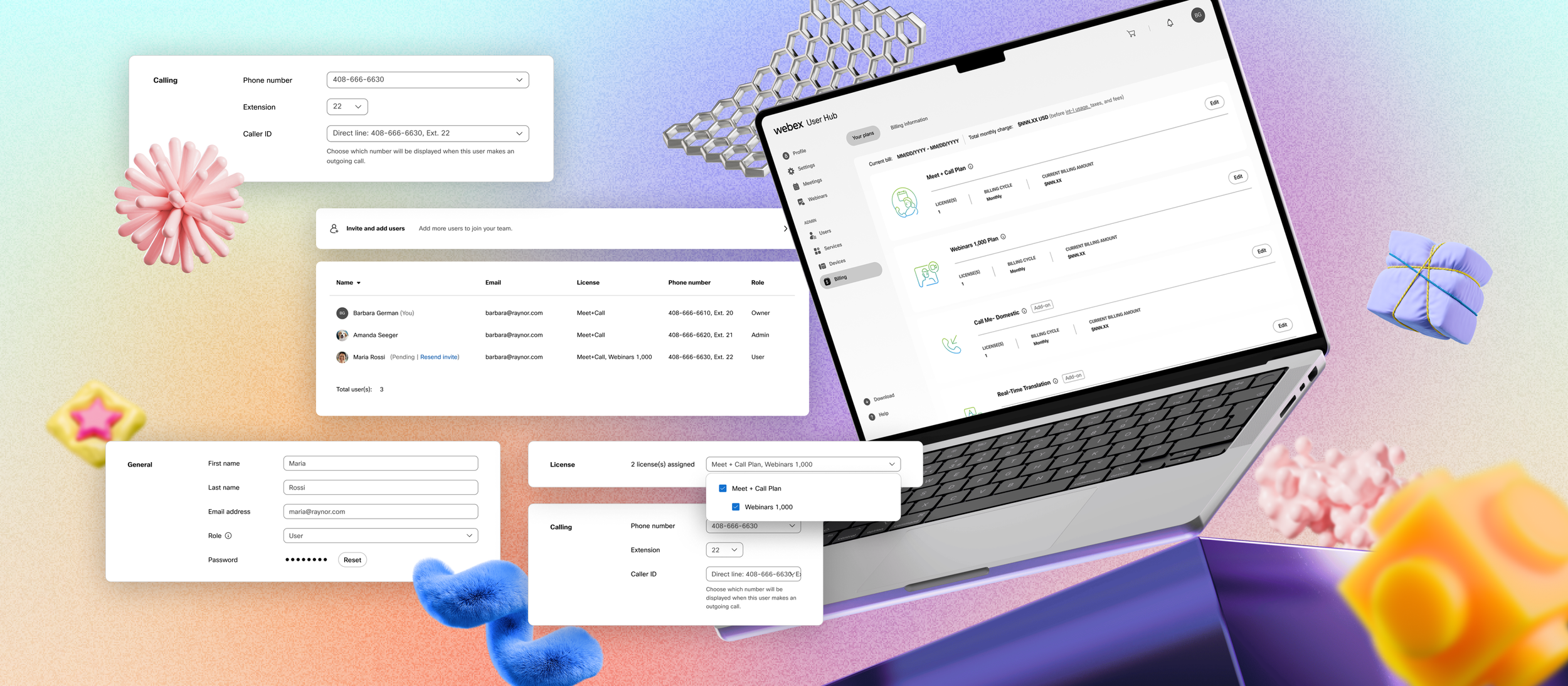
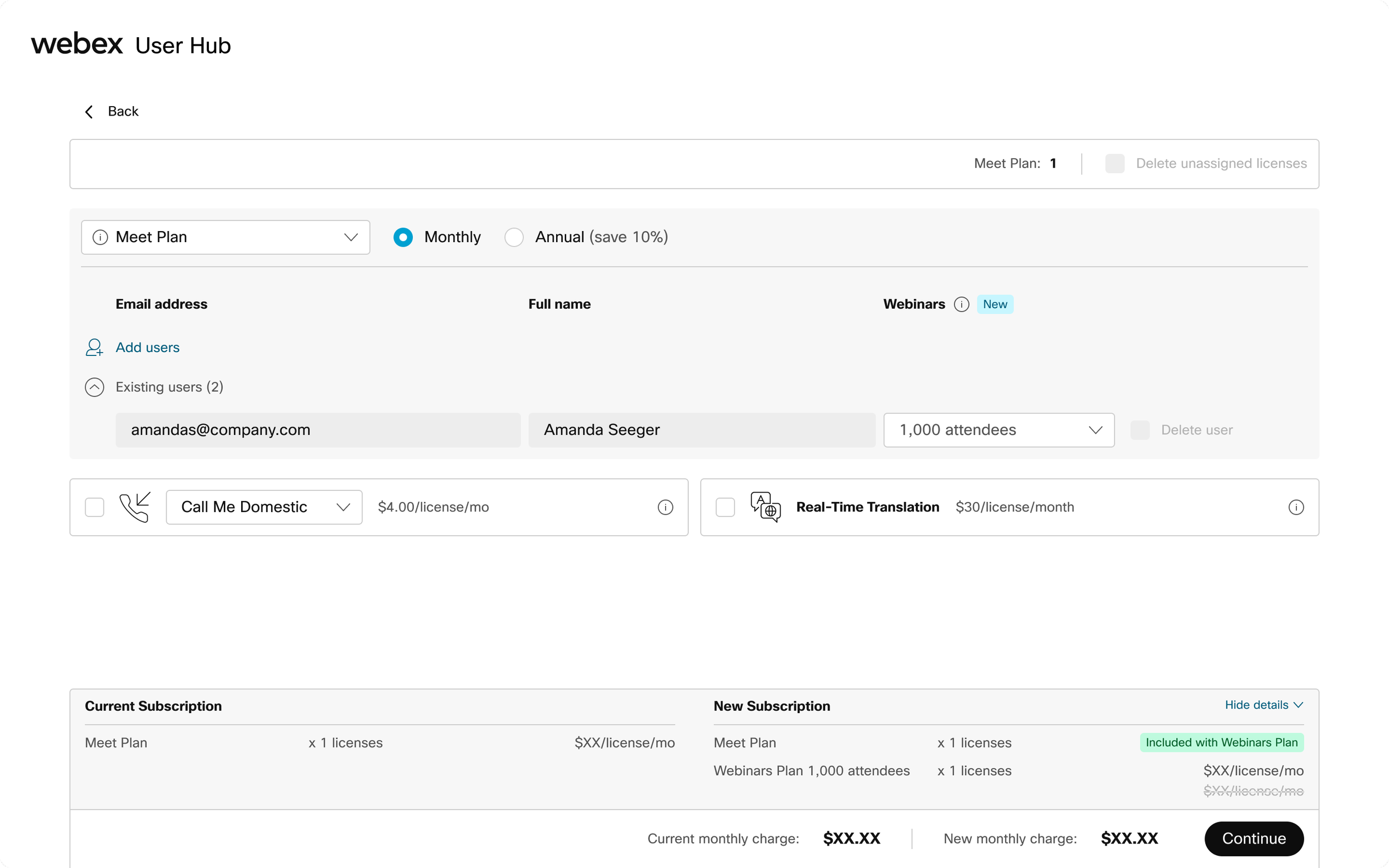
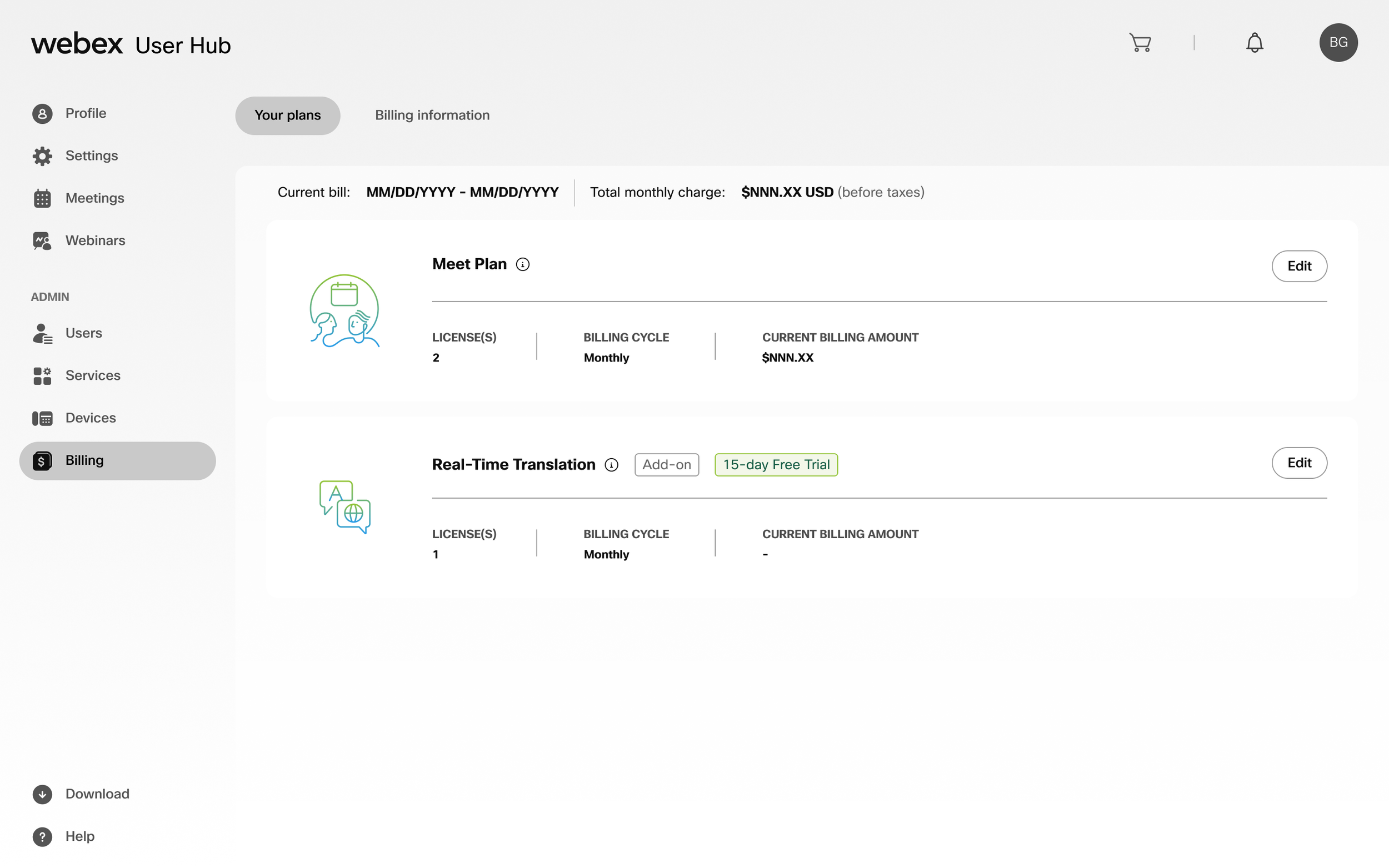
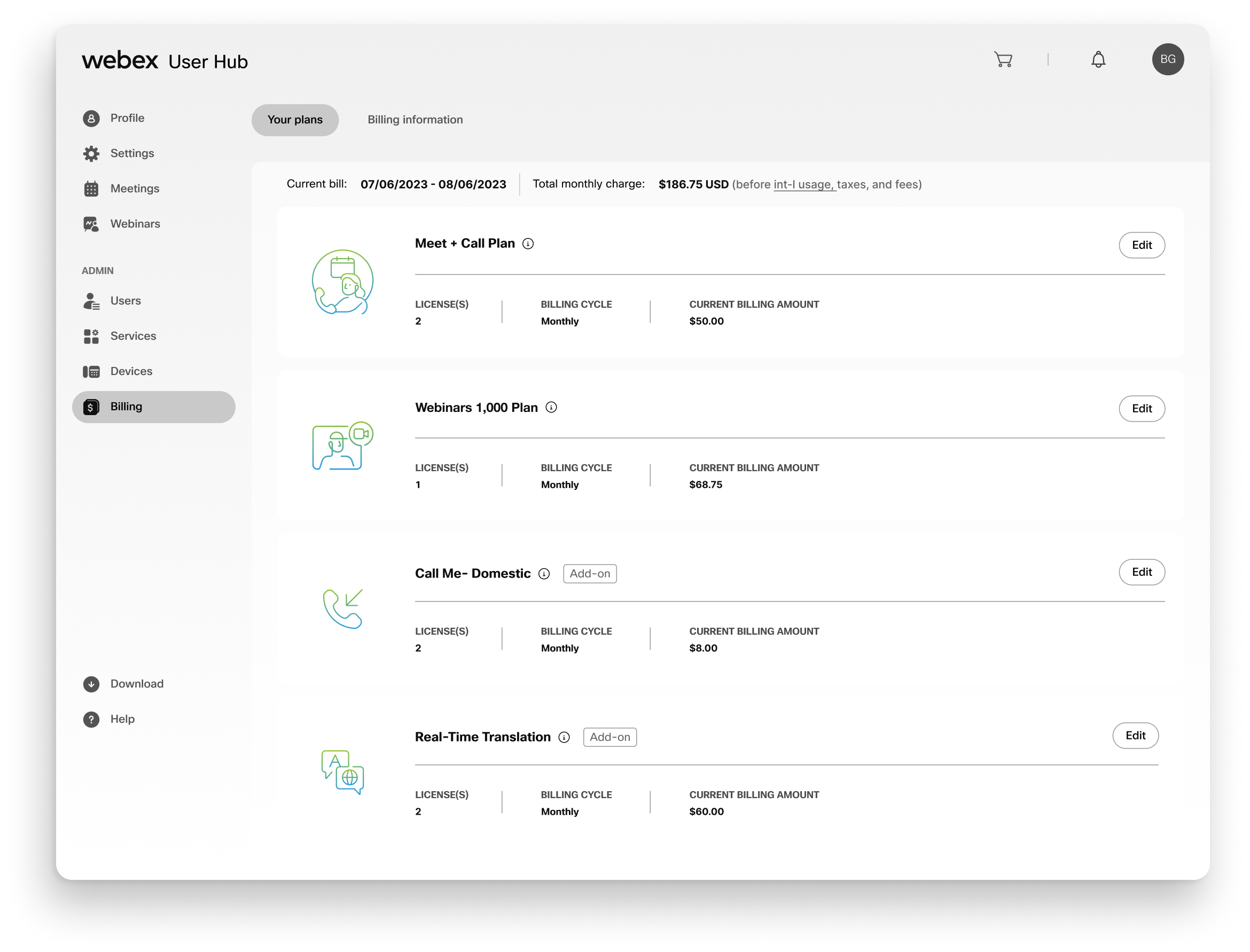
To reduce complexity, I restructured the information architecture by separating plan management from user management. By creating dedicated workflows for each task, administrators could focus on their immediate goals without navigating unnecessary configuration combinations, resulting in a more intuitive and scalable management experience.
Before
After

Challenges
In this cross-domain project, collaborating with cross-functional teams across multiple time zones was only part of the challenge. The greater challenge was aligning diverse stakeholder expectations around new functionality while balancing delivery efficiency with a high standard of quality. Achieving consensus required continuous communication, thoughtful prioritization, and careful tradeoff decisions to ensure both business goals and user needs were met.
The following are 2 of the most significant challenges I faced throughout this initiative.
01 Overcoming Design-to-Development Compatibility Challenges
For the new portal, the design team chose to adopt an existing Webex admin portal design library to maintain consistency across the ecosystem. However, the design system was not fully compatible with the engineering team's development framework, requiring significant adaptation before implementation. Leveraging Figma Dev Mode streamlined the process of rebuilding and documenting components for development use. While the transition was manageable, it introduced additional design QA efforts to ensure the implemented components remained faithful to the intended UX and design standards.
02 Misalignment API
Merging the legacy IT system and calling portal into a new portal presented challenges beyond API misalignment, including incompatible feature architectures. This required extensive collaboration and synchronization with engineering teams to ensure alignment and maintain project momentum.
Outcome & Impact
The new portal reduced SMB support call volume by 60%, generating substantial operational cost savings while enabling the retirement of a legacy calling portal and its associated maintenance costs.
Beyond these efficiency gains, the initiative significantly improved the administration experience for SMB customers. Although the project was not primarily revenue driven, it strengthened customer self service capabilities and created a unified platform that positions Webex to deliver more effective adoption, expansion, and upsell experiences in the future.
01
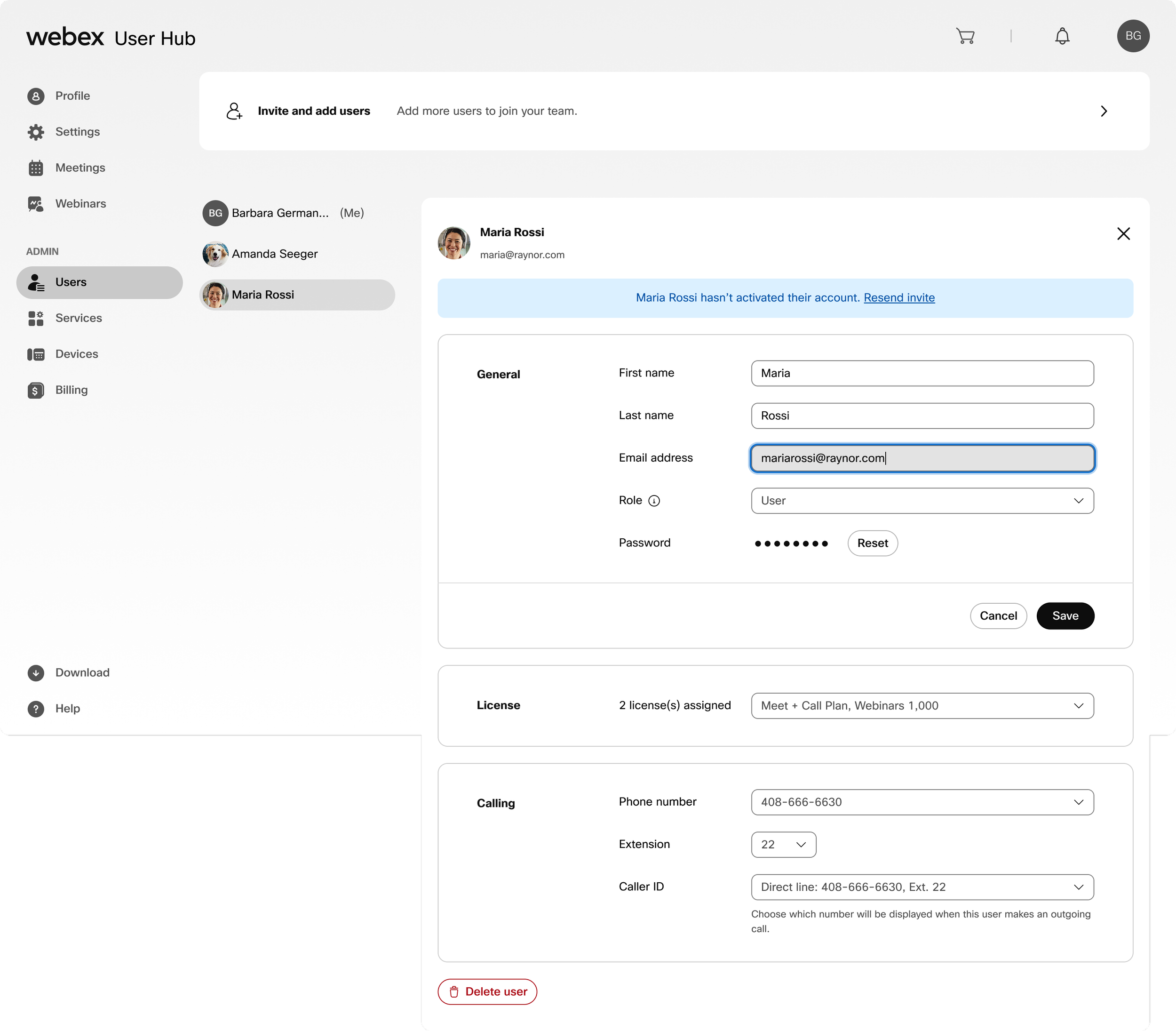
Editing basic users’ info
Edit user’s email address.
Edit user’s license details.
02
A more intuitive plan editing design
In addition to designing the new plan management workflows, I developed a set of custom illustrations for each plan type. These assets were crafted to align with the Webex brand system, helping users more easily distinguish between plans while creating a more cohesive and engaging experience.

03
New calling configuration
In the new portal, I separated main number management from the consolidated editing page and introduced it as a dedicated workflow. To minimize the learning curve for existing customers, I aligned the experience with the information architecture and interaction patterns of the legacy calling portal, creating a more familiar and seamless transition for users migrating to the new platform.